|
|
|
| Our Review Costs & Features User Reviews |
|
|
Editor's Star Ratings:
| Storage Space: | |
| Security: | |
| Features: | |
| Ease of Use / Navigation: | |
| Ease of Joining / Registration: | |
| Customer Support: | |
| Value for Money: | |
| Overall Star Rating: |
Editor's Review:
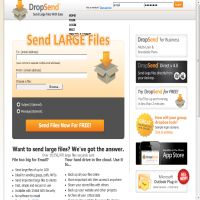
DropSend pitches itself as an alternative to email that can be used to send large files over the web, but it does more than just that. It's also possible to store files online and use the service as a backup tool. The downfall of the whole thing is that it doesn't really do anything different from other online storage services, but makes it seem much more complicated. While it's still relatively easy to use, the pricing options are a bit confusing and we feel that the whole lot could do with a bit of a rethink.
Although DropSend is by no means a bad service it lacks some features that others in the same price range have. It is mainly aimed at helping its users send large files - more as a replacement file attachment service than a fully fledged online backup solution. As such, it the lacks automatic backup features and shared folder features that similar services include as standard. However, if all you want to do is share the odd big file then DropSend will handle it perfectly well.
The main way to access your Dropsend account is through the web interface which can be accessed using most modern browsers. The interface provides a handy upload tool which can start uploading a file from where you left off in the event of a lost connection or similar problem. Although the interface is not as rich in functionality as some we have seen, it works well and looks professional. There is also a nice feature that lets you see if someone has picked up the file you sent them and if you are a business user you can specify download or time limits on files you share.
DropSend also provide a desktop client which runs on either Windows or Mac. Again, it's a fairly basic tool but does the job well enough. You simply drag and drop folders or files onto the interface and they will be uploaded to your DropSend storage space. This doesn't quite make it a fully fledged back up service, but it is a handy feature to have.
The prices DropSend offers on its accounts are reasonable, but you can find similar prices elsewhere with possibly better features. Things are overcomplicated as each plan specifies a 'storage' limit and a 'file support' limit which refers to the files you can store permanently and the files just stored for sending. This makes it difficult to compare the plans with other similar levels of service from other companies. Dropsend is definitely worth a look, but make sure to check out what the competition is offering too.
Click on the button below to check out DropSend.com for yourself...
» Click here to visit DropSend.com
or
« Back to our Top 10 Online File Storage & Data Backup Sites Reviews



Web site and all contents © Copyright No1Reviews.com 2024, All rights reserved.